
Internet Download Accelerator
By https://westbyte.com/
No Rating Available.
Internet Download Accelerator Extension for Chrome makes downloading files more convenient by connecting your browser directly to its powerful desktop download manager. It helps users capture download links, organize files, resume interrupted downloads, and improve download efficiency through a simple and user-friendly experience.
Internet Download Accelerator Extension for Chrome
Internet Download Accelerator is a useful download management tool designed to make downloading files from the internet more convenient and organized. For Chrome users who frequently download documents, videos, software, images, and other online resources, this tool can provide a more structured downloading experience. It works alongside the Internet Download Accelerator desktop application, helping users manage downloads beyond the browser’s standard downloading features. Its main purpose is to simplify file downloading, improve download management, and save time when handling multiple files.
Internet Download Accelerator Extension for chrome
One of the most useful features of Internet Download Accelerator is its ability to manage downloaded files from a central location. Instead of dealing with multiple downloads separately, users can organize their files and monitor their progress through the download manager. This makes it easier to keep track of ongoing, completed, and interrupted downloads. Users who regularly download different types of files can benefit from having everything arranged in one convenient interface. It also reduces the effort required to find and manage previously downloaded content.
Faster Downloading Experience for Chrome
Internet Download Accelerator is designed to improve download performance by using advanced downloading techniques. It can divide files into several sections and download those sections simultaneously, helping make better use of available internet bandwidth. This approach may improve download speeds depending on the server, network connection, and file being downloaded. For people who frequently download large files, such as software packages or media content, this functionality can make the overall process more efficient. However, actual download performance may vary depending on internet speed and website limitations.
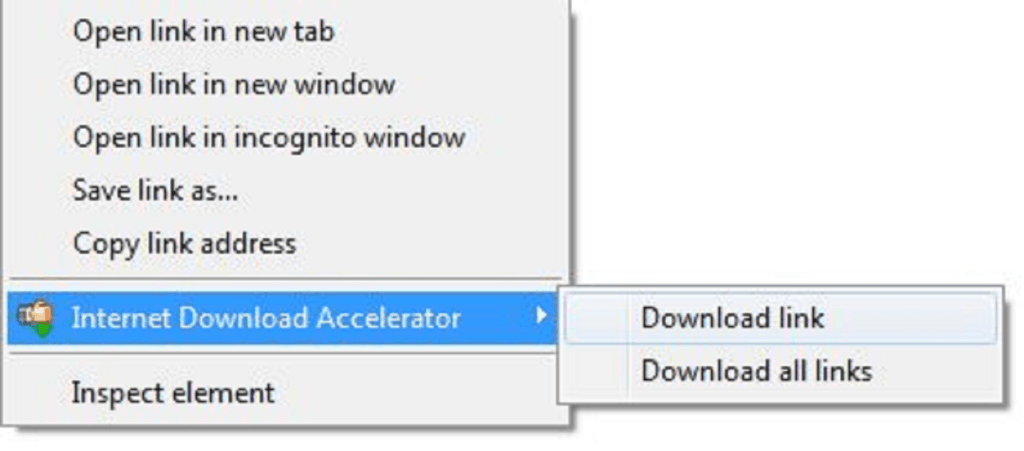
Chrome Browser Integration
The Chrome extension provides a convenient connection between the browser and the Internet Download Accelerator application. When users browse websites and select downloadable content, the integration can help transfer supported download links to the desktop download manager. This reduces the need to copy and paste download links manually. It also makes the downloading process more convenient for people who prefer using Chrome for everyday internet activities. Users should ensure that the desktop application is installed and properly configured to use the extension’s supported features.
Install or Download Internet Download Accelerator for chrome
In addition, if you want to install Internet Download Accelerator for your browser, you must have an internet connection and can use google chrome and opera browser. Otherwise, you cannot be using the Internet Download Accelerator chrome extension file in your browser. So, Now follows the step-by-step guide:
Open your chrome browser
then go to extensionstores.com
Now this website search “Internet Download Accelerator”
Open on this extension
Click the Download button and auto-install your Chrome browser
Support for Different File Types
Another helpful aspect of Internet Download Accelerator is its ability to handle different types of downloadable content. Users can download documents, images, audio files, videos, software installers, and other supported file formats. This flexibility makes it useful for students, professionals, researchers, and regular internet users. Instead of relying on several separate tools, users can manage various downloads through one application. The ability to organize different file types also helps maintain a cleaner and more structured download collection.
Technical Information
| Version: | 4.1.0 |
|---|---|
| File size: | 161KiB |
| Language: | English, русский, українська |
| Copyright: | https://westbyte.com/ |


